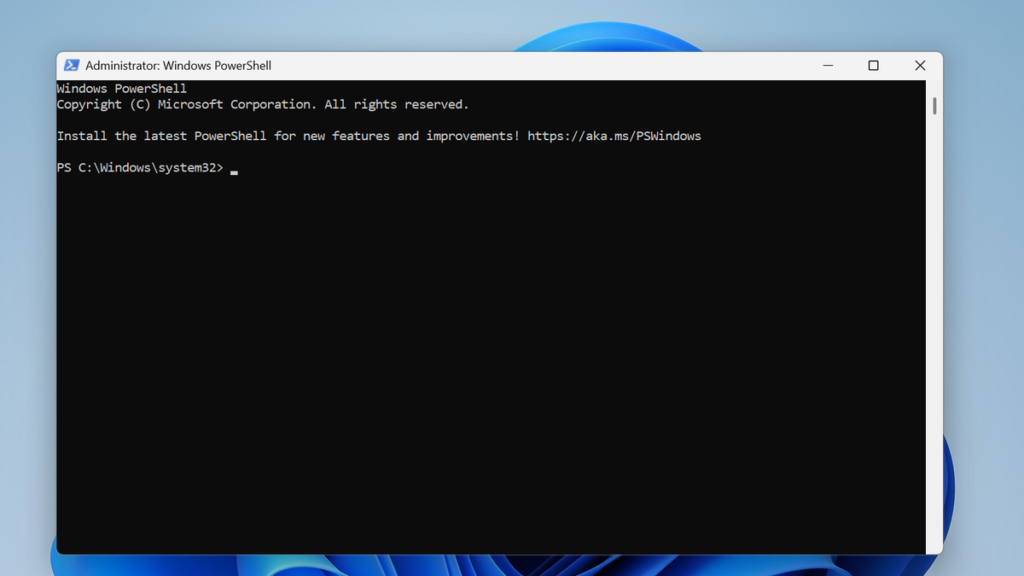
If you’re looking to convert your PowerShell scripts into standalone executable files, PS2EXE is the go-to solution. Using PS2EXE allows developers and IT professionals to package scripts as EXE files, making distribution, execution, and automation simpler and more secure. It’s especially useful for sharing tools without requiring users to run raw PowerShell scripts or modify execution policies.
Finding a complete PS2EXE tutorial will help you understand installation, script conversion techniques, and customization options. A step-by-step guide ensures you can efficiently create portable, user-friendly executables while maintaining script functionality across Windows environments.
Understanding PS2EXE: Basics Before You Start
PS2EXE is a specialized tool designed to convert PowerShell scripts (.ps1) into standalone executable (.exe) files. This process allows developers, IT administrators, and automation professionals to distribute scripts more efficiently across Windows systems. By converting scripts into executables, PS2EXE simplifies the user experience, protects the original code from casual viewing, and creates a more professional application-like interface. Before starting, understanding the fundamentals of PS2EXE ensures a smooth and effective workflow.

Why You Might Need PS2EXE
PowerShell scripts are highly versatile for automation, system administration, and task management. However, distributing raw .ps1 scripts comes with challenges: users must have PowerShell installed, follow execution policies, and may accidentally modify the script. PS2EXE addresses these challenges by packaging scripts as executables, making them easier to share and execute. Knowing why PS2EXE is useful helps you plan script deployment for teams, clients, or organizational projects while maintaining functionality and security.
Core Functionality of PS2EXE
The primary function of PS2EXE is to embed a PowerShell script within a compiled executable wrapper. When the .exe file is launched, it automatically runs the embedded script using the PowerShell engine behind the scenes. This means the script behaves exactly as it would in PowerShell, but users don’t need to open a console window or worry about execution policies. Understanding this mechanism is critical for beginners, as it highlights how PS2EXE maintains the script’s logic while presenting it as a standard Windows application.
Prerequisites Before Using PS2EXE
Before using PS2EXE, you should ensure that your environment meets a few prerequisites. First, PowerShell must be installed on your system, ideally the latest version for compatibility. Second, your execution policy may need to be adjusted to allow module installation and script execution. Finally, downloading PS2EXE from a trusted source, such as the PowerShell Gallery, ensures you are using the latest secure version. Preparing your system correctly prevents errors during installation and script conversion.
Planning Your First Script Conversion
Before diving into PS2EXE, it’s important to plan your script conversion. Start with a simple, well-tested PowerShell script to understand how PS2EXE works. Consider whether you want to hide the console, add a custom icon, or configure other options that enhance the user experience. Planning ahead ensures that your first executable runs smoothly, appears professional, and meets your distribution requirements. This foundational understanding sets the stage for successfully using PS2EXE in both personal and professional projects.
Top Online Sources for Complete PS2EXE Tutorials
Learning how to use PS2EXE effectively requires access to reliable and comprehensive resources. While basic instructions are easy to find, mastering the tool’s full potential including advanced parameters, GUI customization, and deployment strategies—requires detailed tutorials. Online sources provide step-by-step guides, video demonstrations, and community tips that help both beginners and experienced professionals understand how to convert PowerShell scripts into executable files efficiently.
Official PowerShell Documentation and Galleries
The first place to start is the official PowerShell documentation and the PowerShell Gallery. These platforms provide verified instructions for installing and using PS2EXE, along with examples of commands and parameters. Tutorials found here are accurate, updated regularly, and often include downloadable scripts for practice. Using official sources ensures that you follow best practices and avoid outdated or insecure methods when converting scripts to executables.
Community Forums and Technical Blogs
Community-driven platforms, such as PowerShell.org, Reddit PowerShell communities, and technical blogs, are excellent sources for practical PS2EXE tutorials. Experienced developers often share step-by-step guides, troubleshooting tips, and real-world use cases. These resources are particularly valuable because they cover both basic and advanced scenarios, such as hiding the console window, embedding resources, or setting execution policies for enterprise environments.
Video Tutorials and Online Learning Platforms
For learners who prefer visual guidance, video tutorials on platforms like YouTube or online learning websites provide comprehensive walkthroughs of PS2EXE. These tutorials often demonstrate the entire process—from writing a PowerShell script to generating a professional executable—with clear explanations of options and parameters. Watching these videos can accelerate learning, making complex concepts easier to grasp, especially for beginners or visual learners.
GitHub Repositories and Open-Source Examples
GitHub is a treasure trove of open-source PS2EXE scripts and projects that include full tutorials and example scripts. Developers share their implementations with detailed readme files, enabling users to experiment with real scripts in a controlled environment. These resources also demonstrate advanced customization techniques, such as adding GUI elements, icons, or runtime options. Leveraging GitHub repositories allows learners to study practical applications, replicate them, and adapt them to their own automation workflows effectively.
What a Comprehensive PS2EXE Tutorial Should Include
A comprehensive PS2EXE tutorial is designed to guide users from basic understanding to advanced implementation of converting PowerShell scripts into executable files. Such a tutorial should cater to both beginners and experienced professionals by covering installation, script preparation, conversion, customization, and deployment. Understanding what elements a tutorial must include ensures learners gain practical knowledge and can confidently use PS2EXE in real-world scenarios.
Installation and Environment Setup
Every complete PS2EXE tutorial should begin with a detailed guide on installation and environment preparation. This includes instructions for installing PS2EXE via the PowerShell Gallery, setting the proper execution policy, and verifying that the module is functioning correctly. Additionally, it should cover prerequisites such as PowerShell versions, administrative permissions, and system requirements. A well-structured installation guide ensures users encounter minimal errors when starting their PS2EXE journey.
Creating and Preparing PowerShell Scripts
A crucial section in any PS2EXE tutorial is the preparation of PowerShell scripts. Tutorials should explain best practices for writing clean, modular scripts that are suitable for conversion into executables. This includes validating script functionality, handling errors, and optimizing code for performance. Proper script preparation reduces runtime issues and makes the final executable more reliable and professional.
Step-by-Step Script Conversion Process
The heart of a comprehensive tutorial is a step-by-step guide on converting scripts to executable files. This section should explain command syntax, input/output parameters, and optional settings like hiding the console window, adding icons, or configuring GUI elements. Examples and screenshots help learners visualize the process, ensuring they can replicate it accurately. Clear guidance on testing the generated .exe file is also essential for validating successful conversion.
Advanced Features, Customization, and Troubleshooting
Finally, an in-depth tutorial should cover advanced PS2EXE features and troubleshooting techniques. This includes customizing executables with icons, GUI overlays, or embedded resources, as well as using advanced parameters to enhance security and performance. Additionally, it should provide common troubleshooting tips for errors encountered during conversion or execution. Including this section ensures that learners not only understand basic usage but can also leverage PS2EXE to create professional, polished applications suitable for distribution.
Example Walkthrough: Learning From a Tutorial
Learning PS2EXE through an example walkthrough provides practical, hands-on experience for beginners and professionals alike. Rather than just reading theoretical instructions, a walkthrough demonstrates the full process of converting a PowerShell script into an executable file. By following a real-world example, users can better understand the workflow, see common pitfalls, and gain confidence in applying the tool to their own automation projects.
Selecting a Sample PowerShell Script
The first step in an effective walkthrough is choosing a simple, functional PowerShell script. Beginners often start with scripts that perform basic tasks, such as displaying messages, collecting input, or automating routine system operations. A well-chosen example ensures that the focus remains on learning the PS2EXE conversion process rather than debugging complex script logic. Clear script selection sets the foundation for a successful tutorial experience.
Converting the Script to an Executable File
Once the script is ready, the walkthrough should guide learners through the conversion process using PS2EXE. This includes specifying the input .ps1 script and the desired output .exe file, as well as demonstrating optional parameters such as hiding the console window or assigning a custom icon. Step-by-step instructions with screenshots or code snippets help users replicate the process accurately and understand how each option affects the final executable.
Testing and Verifying the Executable
After generating the .exe file, the walkthrough emphasizes the importance of testing the executable. Learners should verify that the program behaves exactly as the original PowerShell script, checking for functionality, error handling, and user experience. Testing ensures that the conversion process was successful and that the final product is ready for distribution or further customization.
Lessons Learned and Best Practices
A complete walkthrough concludes with a section on key takeaways and best practices. This includes tips on script organization, parameter usage, troubleshooting common errors, and ensuring compatibility across different Windows systems. By analyzing what worked and what could be improved, learners gain actionable insights that prepare them to use PS2EXE confidently in real-world projects, turning simple scripts into professional, user-friendly executables.
Common Pitfalls and How Tutorials Help Avoid Them
While PS2EXE is a powerful tool for converting PowerShell scripts into executable files, beginners and even experienced users can encounter common mistakes during the conversion process. These pitfalls range from script errors to compatibility issues, hidden console problems, or incorrect parameter usage. Understanding these challenges is essential, as they can affect the functionality and reliability of the final .exe file. Tutorials play a crucial role in guiding users past these obstacles efficiently.
Common Pitfall: Incorrect Script Preparation
One of the most frequent issues when using PS2EXE is poorly prepared scripts. Scripts with syntax errors, missing dependencies, or unhandled exceptions can cause the executable to fail or behave unpredictably. Tutorials help users avoid this problem by emphasizing best practices in script design, validation, and error handling. By following structured guidance, learners can ensure their scripts are fully functional before attempting conversion.
Common Pitfall: Misconfiguring Conversion Parameters
Another typical mistake is misusing PS2EXE parameters, such as input/output paths, console visibility, or icon settings. Improper configuration can result in a broken executable or unintended user experience. High-quality tutorials provide step-by-step examples, explaining each parameter’s purpose and demonstrating correct usage. This guidance helps users confidently apply options without causing errors or creating executables that don’t meet their intended design.
Common Pitfall: Testing and Compatibility Issues
Many users overlook the importance of testing the executable on different systems before distribution. Executables may fail due to differences in PowerShell versions, system policies, or runtime environments. Tutorials address this by teaching users how to test their .exe files in controlled scenarios, verify functionality, and troubleshoot common compatibility issues. Following these recommendations reduces the risk of deployment failures in professional settings.
How Tutorials Provide Structured Learning and Solutions
Comprehensive PS2EXE tutorials combine theory with practical demonstrations to prevent pitfalls before they occur. They guide learners from installation to advanced customization, offer troubleshooting tips, and highlight common mistakes with corrective solutions. By using tutorials, beginners can learn efficiently, gain confidence in converting scripts to executables, and produce reliable, professional-quality applications without encountering preventable errors.
Tips for Choosing the Best PS2EXE Tutorial
Selecting the best PS2EXE tutorial is essential for both beginners and advanced users who want to efficiently convert PowerShell scripts into executable files. The quality of the tutorial directly impacts how quickly and effectively you learn to use the tool, avoid common mistakes, and apply advanced features. A well-chosen tutorial provides clear instructions, practical examples, and guidance on customization and troubleshooting, ensuring a smooth learning experience.
Evaluate Tutorial Clarity and Structure
The first tip is to assess the clarity and structure of the tutorial. A high-quality PS2EXE tutorial should be organized in a logical sequence, starting from installation and basic script preparation to advanced features like hiding the console or adding custom icons. Tutorials with clear headings, step-by-step instructions, and code snippets help learners follow along without confusion. Structured content makes complex concepts easier to understand and minimizes the chances of errors during conversion.
Look for Practical Examples and Walkthroughs
The best tutorials include real-world examples and walkthroughs. These examples show the complete process of converting a PowerShell script into an executable, testing it, and applying customization options. By following practical examples, learners can see the actual results of each step, reinforcing theoretical knowledge and helping them understand how PS2EXE works in real projects. Tutorials with hands-on exercises improve retention and skill application.
Check for Coverage of Advanced Features and Troubleshooting
An ideal PS2EXE tutorial should not only cover the basics but also explain advanced features and common troubleshooting scenarios. This includes using parameters for performance optimization, securing scripts, adding GUI elements, or resolving errors during conversion. Tutorials that address these areas equip users to handle complex tasks and avoid common pitfalls, making their learning experience more comprehensive and professional.
Consider Author Credibility and Updates
Finally, evaluate the credibility of the tutorial source and whether the content is up-to-date. Tutorials from reputable authors, official documentation, or trusted technical communities ensure accurate and reliable guidance. Regularly updated tutorials reflect changes in PS2EXE versions and PowerShell updates, keeping learners informed about the latest best practices. Choosing a credible and current tutorial ensures effective learning and long-term utility for professional script development.
Conclusion
Ps2Exe tutorial is essential for anyone looking to convert PowerShell scripts into standalone executables effectively. A full tutorial provides step-by-step guidance, practical examples, and best practices, ensuring users understand both the conversion process and potential pitfalls. By following a complete guide, developers and system administrators can confidently leverage Ps2Exe, improving script portability, usability, and security while maximizing the benefits of their PowerShell automation projects.