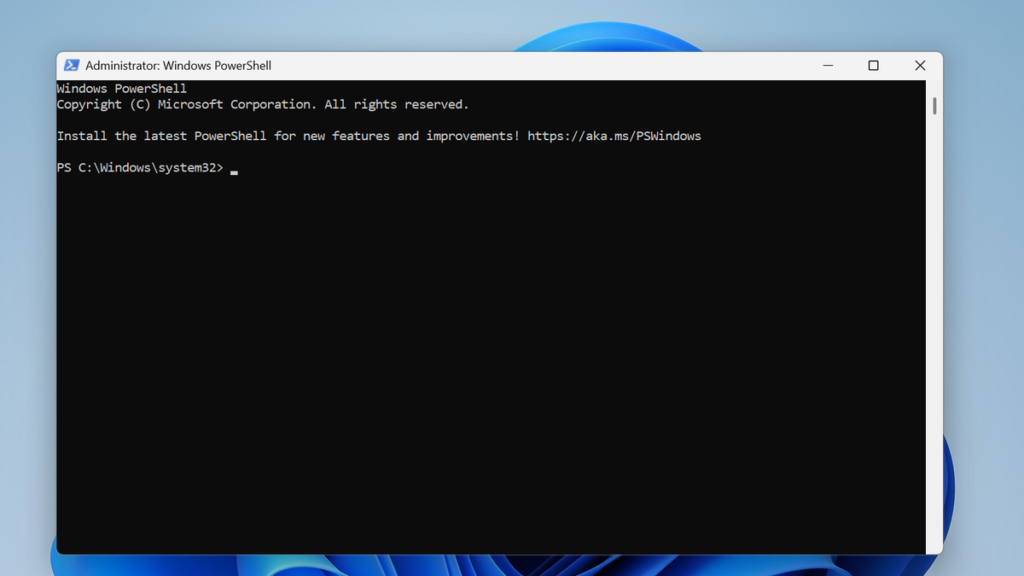

PowerShell has revolutionized automation and scripting on Windows, offering immense power to system administrators and developers. Its scripting capabilities allow for complex tasks to be automated, saving countless hours of manual work. However, sharing these scripts with non-technical users or deploying them across systems where PowerShell execution policies might be restrictive presents a significant challenge. This is where the need for a more user-friendly format arises.
The solution many turn to is converting .ps1 script files into standalone .exe executables. This conversion makes the scripts portable, easy to run with a simple double-click, and removes the dependency on users understanding PowerShell. The most popular and widely used tool for this conversion is PS2EXE, a community-developed utility that has become the go-to solution for this specific task.
While the benefits are clear, downloading any third-party tool from the internet carries inherent risks. Malicious actors often create fake versions of popular software, bundling malware, spyware, or viruses. Therefore, knowing how to download PS2EXE safely is not just a best practice; it is an absolute necessity to protect your system and your data from potential threats. This guide will walk you through every step to ensure your download is secure and authentic.
PS2EXE and Its Purpose
What is PS2EXE?
PS2EXE is a specialized utility designed to package PowerShell scripts into standalone executable files. It essentially wraps your .ps1 script and a minimal PowerShell environment within a single .exe file. When this executable is run, it unpacks the script and executes it using the embedded PowerShell instance, all transparently to the end-user. This tool was created to solve the distribution problem faced by many script creators.
Why Convert Scripts to Executables?
Converting scripts to executables offers several key advantages that make it a compelling choice for many use cases. Firstly, it simplifies distribution, as users do not need to interact with the PowerShell command line or change execution policies. Secondly, it can provide a layer of obfuscation for your script’s source code, protecting intellectual property. Finally, it creates a more professional and user-friendly experience for those unfamiliar with scripting.
The Core Functionality Explained
At its core, PS2EXE works by compiling your PowerShell script into a different format. It takes your script’s text and embeds it as a resource within a compiled executable stub. When you run the resulting EXE, this stub decompresses the script content into memory and feeds it to a PowerShell engine that it also contains. This entire process happens behind the scenes, making the execution seamless for the person running the file.
Identifying the Official and Trusted Sources
The Primary Source: GitHub Repository
The most reliable and official source for downloading PS2EXE is its project page on GitHub. GitHub is a widely trusted platform for hosting open-source projects, providing transparency through version history and issue tracking. The original author of PS2EXE maintains the project here, releasing official, compiled versions for public use. Always start your search from this well-known repository.
Recognizing Authoritative Releases
Within the official GitHub repository, you will find a “Releases” section. This is the only area from which you should download the tool. Each release is a versioned and packaged iteration of the software, often accompanied by release notes detailing changes. These official releases are vetted by the project maintainer and are the only versions guaranteed to be authentic and free from tampering.
Red Flags for Unofficial Downloads
You must be vigilant and learn to spot warning signs of unofficial or malicious distributions. Staying clear of these sources is your first line of defense against compromised software. Always be skeptical if something seems off or too good to be true. Legitimate open-source tools are rarely, if ever, found on certain types of websites.
- Downloads hosted on third-party file-sharing sites or forums with numerous ads and pop-ups.
- Websites that require you to install a custom “downloader” before you can get the PS2EXE file.
- Any site that bundles PS2EXE with other software, especially optimization tools or browser extensions.
- Sources that claim to be a “cracked” or “premium” version of a free and open-source tool like PS2EXE.
Verifying the Authenticity of the Download
Checking the Digital Signature
A digital signature is a cryptographic stamp that verifies the publisher of the software and confirms that the file has not been altered since it was signed. The official releases of PS2EXE are often digitally signed by the author. You can check this signature by right-clicking the downloaded file, selecting “Properties,” and navigating to the “Digital Signatures” tab. A valid signature from a trusted publisher is a strong positive indicator.
File Hashes (SHA256)
A file hash, such as a SHA256 hash, is a unique alphanumeric string that acts like a fingerprint for a file. Even the smallest change to the file will produce a completely different hash. The PS2EXE author typically publishes the SHA256 hash for each release on the GitHub page. This allows you to definitively prove that the file you downloaded is the exact same one the author intended to distribute.
Comparing Hashes for Integrity
To use the hash for verification, you need to generate the SHA256 hash of your downloaded file. Windows has built-in tools for this, typically using the PowerShell command Get-FileHash. Once you have generated the hash for your file, you must compare it character-for-character with the hash listed on the official GitHub release page. If they match perfectly, your file is authentic and unmodified.
Pre-Download Security Best Practices
Ensuring Your System is Protected
Before you even begin the download process, you must ensure your computer’s defenses are up to the task. A compromised system is vulnerable even if you download a legitimate file. Your first layer of security is always a robust and updated security suite. Take a moment to verify that your protective software is active and current.
- Confirm that your primary antivirus or antimalware solution is running and its virus definitions are up to date.
- Ensure that Windows Defender, if you use it, is enabled and has received its latest updates through Windows Update.
- Consider running a full system scan with your security tool before downloading new software to establish a clean baseline.
Using a Secure Network Connection
The network you use to download the file can impact its security. Public Wi-Fi networks, such as those in coffee shops, airports, or hotels, are often unsecured and unencrypted. This makes it possible for malicious actors on the same network to intercept your traffic and potentially replace the file you are downloading with a malicious version. Always use a trusted and secure network.
Isolating the Download Environment
For the ultimate in safety, especially if you are a security-conscious professional, consider downloading and testing PS2EXE in an isolated environment. This approach contains any potential threat, preventing it from spreading to your main operating system and personal files. Virtualization and sandboxing technologies make this easier than ever.
- Use a virtual machine (VM) with a fresh installation of Windows to perform the download and initial testing.
- Alternatively, use a sandbox application like Sandboxie to run your web browser and the downloaded file in a protected, isolated space.
- This method ensures that even if the file were malicious, its impact would be limited to the disposable environment.
The Safe Download Process Step-by-Step
Navigating to the Correct Release Page
Begin by opening your web browser and navigating to the official PS2EXE GitHub repository. From the main page, locate and click on the “Releases” link, which is usually found near the top of the page or in a sidebar. Avoid clicking on any other links or buttons, such as the green “Code” button, as that will download the source code, not the ready-to-use executable file you need.
Selecting the Right File Version
On the Releases page, you will see a list of available versions, with the latest version typically at the top. Each release contains a set of “Assets,” which are the downloadable files. You will need to choose the correct file for your system’s architecture. Look for files named with “x64” for 64-bit systems or “x86” for 32-bit systems. Most modern computers are 64-bit.
Performing the Final Security Scan
Once the file is downloaded, do not open it immediately. The final and most crucial step before use is to perform a thorough security scan on the file itself. This multi-layered verification ensures that nothing malicious slipped through your previous checks. Treat this as a non-negotiable final gate before trusting any executable file on your system.
- Right-click the downloaded
.exeor.zipfile and select the option to scan it with your antivirus software. - For an extra layer of certainty, upload the file to a reputable online multi-scanner service, which checks it against dozens of different antivirus engines.
- Only after the file has passed all these scans should you proceed to extract it from its archive (if it is in a
.zipfile) and use it.
Post-Download Actions and Safe Usage
Storing PS2EXE in a Secure Location
After you have verified the file is safe, you should store it in a permanent and secure location on your computer. Avoid leaving it on your desktop or in your temporary “Downloads” folder. A better practice is to create a dedicated folder for your scripting tools, for example, C:\Tools\PS2EXE. This keeps your system organized and prevents accidental deletion or misuse of the tool.
Creating Your First Executable Securely
You are now ready to use PS2EXE to convert your PowerShell scripts. To do this securely, open a PowerShell or Command Prompt window. You will need to navigate to the directory where you stored PS2EXE and then run the tool, providing the path to your input script and the desired name for your output executable file. Always ensure the scripts you are converting are from a trusted source.
Distributing Your Executables Safely
If you plan to distribute the executables you create, you should consider the security of your end-users. While PS2EXE provides a great way to share your tools, users may still be wary of running an unknown .exe file. The best practice for professional distribution is to purchase a code-signing certificate and digitally sign the executables you create. This builds trust and proves the file comes from you.
Conclusion
Downloading PS2EXE safely hinges on a few critical steps: always use the official GitHub repository, verify the file’s integrity using its SHA256 hash, and perform a thorough virus scan. By following this structured approach, you eliminate the risk of downloading maliciously modified versions. This diligence ensures you can confidently convert and share your PowerShell scripts, creating powerful and secure executables for any purpose.