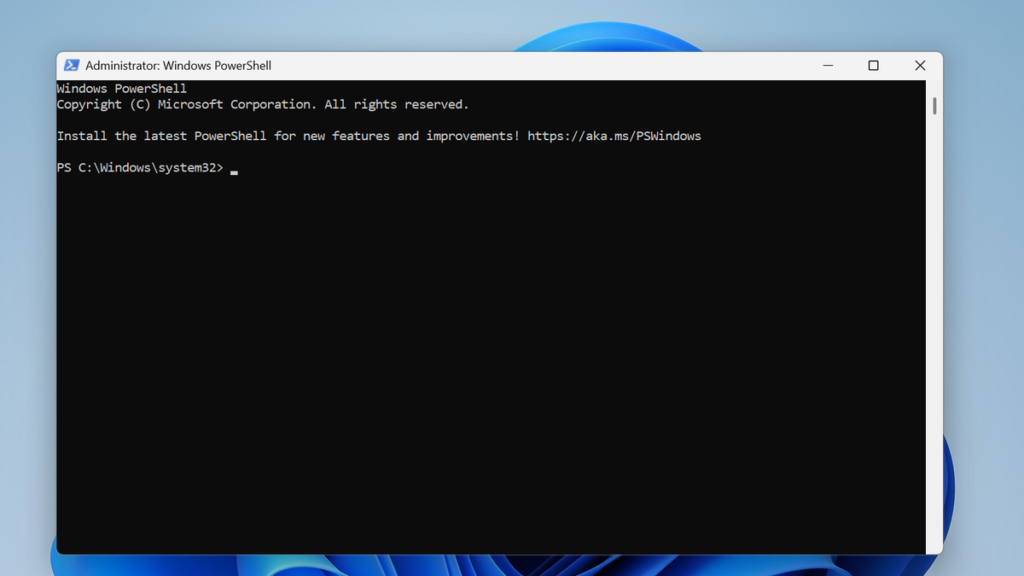

PowerShell has cemented its place as an indispensable tool for system administrators, developers, and IT professionals across the Windows ecosystem. Its powerful scripting capabilities enable automation of complex tasks, configuration management, and streamlined operations. However, distributing these scripts to end-users who may not be familiar with PowerShell or have the execution policy set correctly can be a significant challenge. This is where the concept of converting a .ps1 script into a standalone .exe file becomes incredibly valuable, making scripts accessible to a much broader audience.
The most well-known tool for this conversion is ps2exe, a utility that packages PowerShell scripts into executable files. Traditionally, this tool is a command-line module that users must download and install on their local machines. This leads to a natural and frequently asked question within the IT community: Is there an online version of ps2exe? The allure of a web-based service that could instantly convert a script without any installation is strong, promising convenience and speed for those in a hurry or working on a machine where they cannot install new software.
This article delves deep into the query surrounding the availability and reliability of “ps2exe online.” We will explore the landscape of web-based conversion tools, critically assess their dependability, and most importantly, analyze the profound security implications they carry. By examining the features, risks, and alternatives, we aim to provide a definitive guide for anyone considering using an online service to convert their PowerShell scripts, ensuring they can make an informed and secure decision.
The Ps2exe Phenomenon
What is Ps2exe and Its Core Purpose
The ps2exe utility is fundamentally a PowerShell script itself, designed to wrap other PowerShell scripts into a portable executable format. Its primary purpose is to abstract away the complexities of running PowerShell scripts for the end-user. When a script is converted, the resulting .exe file contains the script’s logic and a lightweight PowerShell host, allowing it to run on systems without needing the user to interact with the PowerShell console or modify execution policies, thus simplifying distribution and usage significantly.
The Traditional Desktop Application Approach
The standard and officially recommended method for using ps2exe involves acquiring the module from a trusted repository like the PowerShell Gallery. Users install it directly onto their Windows machine using the Install-Module command. This local installation provides full control over the conversion process, including access to all command-line parameters for customizing the executable’s icon, application type (console vs. GUI), and level of obfuscation, ensuring a secure and transparent build process managed entirely by the user.
Why Developers Seek an Online Solution
The search for an “ps2exe online” tool is driven by a desire for ultimate convenience and immediacy. Developers might be working on a locked-down corporate machine, a public computer, or simply want to avoid the overhead of downloading and configuring a new tool. The promise of a web-based interface where one can simply upload a .ps1 file and instantly download a ready-to-use .exe is a powerful proposition, especially for quick, one-off conversions or for individuals less comfortable with the command line.
The Search for an Online Ps2exe Service
Evaluating the Availability of Web-Based Tools
A direct search for “ps2exe online” reveals a mixed and often misleading landscape. While numerous websites may claim to offer such a service, many are either defunct, filled with advertisements, or are fronts for potentially malicious activities. Truly functional, reputable, and well-maintained online compilers specifically for PowerShell are exceedingly rare. The technical challenge of securely and accurately parsing and compiling PowerShell on a web server is non-trivial, which explains the scarcity of legitimate offerings in this space.
Common Features Advertised by Online Converters
The few services that do appear or have existed in the past typically advertise a very simple and enticing user experience. They focus on minimizing user effort to attract those looking for a quick solution. These advertised features are designed to seem straightforward and highly appealing, masking the underlying complexities and potential dangers of the service they are providing.
- Simple Drag-and-Drop Interface: Users are often presented with a clean, minimalist interface where they can drag their PowerShell script file directly into a browser window.
- Instant Conversion and Download: The primary selling point is speed, promising that the executable will be generated and ready for download within seconds of uploading the script.
- No Registration or Installation Required: These services emphasize their “plug-and-play” nature, removing any barriers to entry like creating an account or installing software locally.
The Allure of Instant, No-Install Conversions
This convenience factor is the single biggest draw. For a technician who needs to quickly package a script for a non-technical user, the idea of bypassing the PowerShell Gallery and module installation is tempting. It represents a frictionless path from script creation to distribution, seemingly solving the problem of sharing functional code in the most efficient way possible, which is why the search for such a tool persists despite the risks.
Dissecting the Reliability of Online Conversion Tools
Accuracy of Script-to-Executable Translation
The reliability of any conversion tool hinges on its accuracy. An online ps2exe service must perfectly interpret every nuance of a PowerShell script, from complex loops and conditional statements to calls to external modules and APIs. Any discrepancy in the conversion process can lead to a broken executable that behaves differently from the original script, producing incorrect results, errors, or failing silently, which can be disastrous in a production environment.
Performance and Resource Management
A locally compiled executable generally performs well because it is optimized for the user’s specific environment. An online tool, however, may introduce performance overhead or inefficiencies. The generated .exe might be larger, slower to start, or consume more memory than one created with a standard, locally-installed ps2exe module. This is because the online service might use a generic, less-optimized packing method to handle a wide variety of scripts, impacting the end-user’s experience.
Handling Complex Scripts and Dependencies
Many real-world PowerShell scripts rely on external modules, specific PowerShell versions, or access to file paths and system resources. An online converter operates in a sterile, isolated environment and has no knowledge of the target system where the executable will run. It cannot reliably bundle dependencies or account for environmental variables, making it highly unreliable for any script beyond the most basic “Hello, World” examples. This limitation makes it unsuitable for serious, professional use cases.
The Critical Security Implications of Using Ps2exe Online
Data Privacy and Script Exposure Risks
This is the most significant and non-negotiable risk. Uploading your PowerShell script to a third-party web server means you are handing over your source code, potentially in its entirety. This script could contain sensitive information such as API keys, passwords, server addresses, internal network details, or proprietary business logic. The service provider could log, store, analyze, or even sell this information, creating a catastrophic data breach.
Potential for Malicious Code Injection
An even more sinister risk is the possibility that the online service could intentionally inject malicious code into the executable it provides you. The downloaded .exe could contain a backdoor, keylogger, ransomware, or other forms of malware. When you distribute this file to your colleagues or customers, you are unknowingly propagating a security threat, damaging your reputation and causing significant harm.
- Script Theft: Your intellectual property, in the form of your carefully crafted automation logic, can be stolen and repurposed without your consent.
- Credential Harvesting: Any hardcoded credentials or sensitive configuration details within your script are immediately compromised the moment you upload it.
- Malware Distribution: The downloaded executable could be a trojan horse, designed to infect the systems of anyone who runs it, making you an unwilling vector for an attack.
The Dangers of Untrusted Executable Outputs
Even if the service itself is not malicious, its security could be compromised. A hacker could breach the server and alter the conversion process to embed their own malicious code into every executable generated. This means that even a “good” online service can become a source of malware without its users’ knowledge, making every downloaded file a potential security risk that cannot be trusted without extensive and expert-level reverse engineering.
Best Practices for Safe Script Conversion
Scrutinizing the Service Provider’s Reputation
If, despite the warnings, one still considers an online tool, due diligence is paramount. Research the provider extensively. Look for professional reviews, community discussions on platforms like Reddit or Stack Overflow, and check for any history of security incidents. A legitimate service will have a transparent history, clear contact information, and a positive reputation within the cybersecurity and developer communities. An absence of these is a massive red flag.
The Terms of Service and Privacy Policy
Do not simply click “agree.” Read the terms of service and privacy policy with a critical eye. Look for clauses related to data ownership, data retention, and how they handle uploaded content. If the policy states that they have the right to use, store, or analyze your uploads, it is a clear signal that your scripts are not safe. A trustworthy service will have a policy that explicitly guarantees they do not retain or inspect user data.
- Check for HTTPS: Ensure the website uses a valid SSL certificate (HTTPS) to encrypt your script in transit. While this doesn’t protect your data once it’s on their server, it prevents man-in-the-middle attacks during upload.
- Avoid Sensitive Scripts: Never, under any circumstances, upload a script that contains sensitive information, credentials, or proprietary logic to an online converter.
- Test in a Virtual Machine: Always run any downloaded executable in a completely isolated and sandboxed environment, such as a virtual machine with no network access or access to your host files, before considering it safe for wider distribution.
Utilizing Sandboxed or Isolated Environments for Testing
This is your final line of defense. Before running or distributing any executable from an online source, test it rigorously in a sandboxed environment. Tools like VMware, VirtualBox, or Windows Sandbox are perfect for this. Monitor the executable’s behavior with process monitoring tools to check for any suspicious network activity, file modifications, or registry changes. If the executable behaves unexpectedly in the sandbox, it is compromised and must be deleted immediately.
Exploring Viable Alternatives to Online Ps2exe Tools
The Standalone Ps2exe Module: A Safer Standard
The best and most reliable alternative is to use the official ps2exe module as intended. By installing it from the PowerShell Gallery onto your own machine, you maintain complete control over the entire process. Your script never leaves your private environment, eliminating the risk of data exposure or malicious injection. This method provides all the necessary features, is actively maintained by the community, and is the industry-standard, secure way to perform this conversion.
Commercial PowerShell Packaging Solutions
For organizations that require advanced features, professional support, and enhanced security, several commercial packaging solutions are available. These tools often provide superior code obfuscation, digital signing capabilities, and more sophisticated dependency management. While they come at a cost, they offer a level of assurance, functionality, and vendor support that free or online tools cannot match, making them a suitable choice for enterprise-level application distribution.
Advanced Script Obfuscation and Protection Techniques
If the primary goal is to protect the source code of your script rather than just creating an executable, consider dedicated script obfuscation tools. These tools scramble your code, making it extremely difficult for humans to read while remaining functional for the PowerShell engine. You can then combine this with the standard ps2exe module for a two-layered protection approach, creating an executable that is both portable and resistant to reverse engineering, offering a robust solution for protecting your intellectual property.
Conclusion
While the concept of an “ps2exe online” tool is appealing due to its convenience, the reality is that such services are exceptionally rare, unreliable for complex scripts, and pose an unacceptable security risk. The potential for data theft and malicious code injection far outweighs any perceived benefit. For any professional or sensitive use, the only truly reliable and secure method is to use the official, locally-installed ps2exe module. Prioritizing security and control over momentary convenience is essential to protecting your data, your reputation, and your users.